
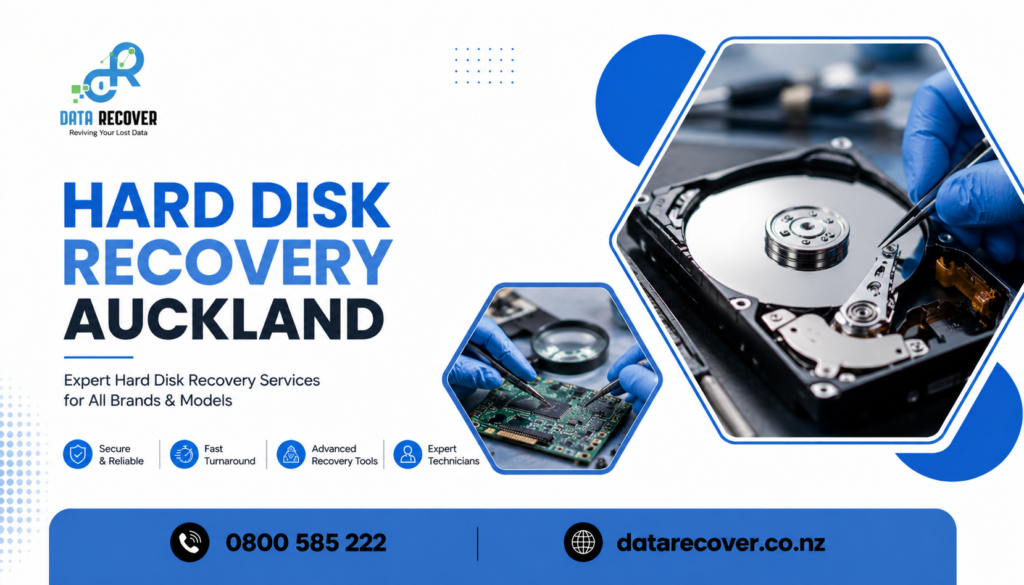
There’s this specific kind of dread, it hits pretty much the second a hard drive stops answering. Like the screen freezes, an error message shows up, or the drive just… isn’t recognised at all, and suddenly years of photos, documents, spreadsheets, all that stuff feels like it’s hanging by a thread. And yeah, that’s usually when people start looking up Hard Disk Recovery Auckland specialists, thinking there’s still a chance, still some way to get things back.
At Data Recover, we see these situations daily and, if there’s anything we’ve noticed it’s that a crashed drive rarely means the road ends completely. This blog kind of walks through what proper data recovery from a crashed hard drive actually involves, what commonly causes the failure, and how you can tell when you’re dealing with capable hands not guessing work.
Why Hard Disk Recovery Auckland Searches Spike So Often
Drive problems don’t usually give much notice, and that’s why the panic arrives so fast. One minute it’s working normally, the next it’s inaccessible, not opening, not mounting, nothing. That sudden shift is what makes so many people search for Hard Disk Recovery Auckland support, often within the very same hour it starts happening.
Here are some triggers people commonly run into:
- Clicking or grinding noises, often pointing toward mechanical failure inside the unit.
- The drive not being recognised , like it becomes invisible to the computer.
- Sudden power loss during use, which can ruin data mid write.
- Overheating, especially in drives used for long, heavy tasks.
- Gradual bad sectors, where portions become unreadable little by little.
What Proper Data Recovery From Crashed Hard Drive Situations Really Involves
Not every crash behaves the same way. And treating all failures like they’re identical is one of the most common mistakes people make when they try to fix things themselves. Real data recovery from crashed hard drive scenarios starts with figuring out what’s actually wrong, before you touch anything else.
A few process points that should be included:
- Accurate diagnosis first, figuring out if the issue is mechanical, logical, or related to firmware.
- Cleanroom-style handling for drives with physical damage, so you don’t make it worse during recovery.
- Specialised recovery tools, rather than random software that could overwrite existing data.
- Careful file structure rebuilding, bringing back organized access to recovered files.
- Secure handling throughout, because personal and business data needs protection at every step.
Warning Signs a Hard Drive May Be Failing Before It Fully Crashes
Sometimes the drive gives subtle warnings before it fully dies. Catching that early can absolutely change the recovery outcome.
Look out for:
- Slower access times than usual when opening files or programs.
- Freezing or crashing more often, especially during copying or transfers.
- Files that won’t open, or show corruption, with no clear reason.
- Unusual noises during normal operation, not just “normal ticking.”
- Frequent disk read or write error messages.
A Quick Story: Rescuing a Business’s Financial Records Overnight
One small accounting firm had a hard drive crash just days before a major reporting deadline, and the drive contained years of client financial records stored internally. There was no recent backup in place, so the mood was genuinely bleak.
Data Recover treated it like the urgent issue it was, diagnosing a mechanical fault and then performing careful extraction with specialised recovery tools , not risking further damage by trial and error. Within one day, the firm’s full records were recovered and moved to a new secure drive. They met the deadline without losing a single client file, and later mentioned that the pace and professionalism turned what could have been a full business crisis into something they could actually manage.
Why Choose Data Recover
Not every recovery service has the right tools, or the know-how, for harder hard drive failures, and that’s exactly the gap Data Recover was set up to close.
- Technicians experienced in both mechanical and logical drive recovery.
- Advanced recovery equipment, to avoid the risk of DIY software.
- Clear communication, so you know what can be recovered before anything proceeds.
- Strict confidentiality, protecting personal and business data throughout.
- A real understanding of how much recovered files can matter to you, or to your operations.
What We Do
Data Recover provides a full suite of recovery services, built to bring back what matters most, whatever caused the failure.
Hard Disk Recovery Auckland
Comprehensive recovery services for internal and external hard drives impacted by mechanical or logical failure.
Data Recovery From Crashed Hard Drive
Specialist extraction and file rebuilding for drives that stopped responding or crashed unexpectedly.
External Drive and USB Recovery
Retrieval services for portable storage devices affected by damage, corruption, or accidental formatting.
RAID and Business Data Recovery Support
Support for businesses dealing with multi-disk systems and servers, reducing downtime and disruption as much as possible.
Free Initial Diagnostics
An upfront assessment to understand exactly what’s recoverable before any commitment is made.
Final Thoughts
A crashed hard drive feels overwhelming in the moment, no doubt, but in many cases recovery is totally possible when you work with the right people. Whether you go with trusted Hard Disk Recovery Auckland help, or choose specialised data recovery from crashed hard drive work, having the correct team on your side can turn a stressful situation into something manageable.
Contact us if you have any questions. Data Recover is here to help you get your files, and that calm feeling again , back where they should be.
0800 585 222
info@datarecover.co.nz
Frequently asked questions
1. Can data really come back from a hard drive that’s totally crashed?
A lot of the time , yes. Even units that look completely lifeless still have recoverable information inside, if the right process is used.
2. Is it safe to try recovery software yourself before reaching out to a professional?
Usually no, it’s safer to skip it. Some free tools can overwrite data or add extra harm before proper restoration is even attempted.
3. How long does hard disk recovery take, roughly?
It depends on what went wrong, but many cases get evaluated within 24 hours, and then are wrapped up over the next few days.
4. Will my data stay private during the process?
Yes. Confidentiality standards are maintained throughout, so your files are managed securely and kept private.
5. What should I do right after I realize the hard drive isn’t behaving right?
Immediately stop using it and don’t keep testing or trying to open it, because repeated attempts can reduce the chances of a full retrieval.